

 Try everything without buying anything. An old tablet or a phone is enough to keep score (
🧩 Play with what you already have
 FunnyPad,
 FunnyEye,
 FunnyLens and
 FunnyLink are free and work without Internet. Start simple, switch whenever you like: your players, your games and your habits stay the same. Swipe ➜
FunnyPadA tablet or a phone: scan a QR code, it becomes the scoring keyboard. €0 FunnyEyeUSB cameras: FunnyDarts see the darts on their own (3 cameras recommended). A few tens of € FunnyLensA phone or tablet on a tripod films the dartboard and keeps score (beta). €0 (your phone) FunnyLinkAn electronic target Bluetooth: it counts, FunnyDarts receives each dart. €0 (keyBluetooth ~€12)  Scene and zoomOne camera films the players, another zooms in on the target: live during the games. USB webcam or Wi-Fi
 camera LhobbyPlay online with your friends, but also with other players, from one terminal to another. with your ID Card + online access
 The games
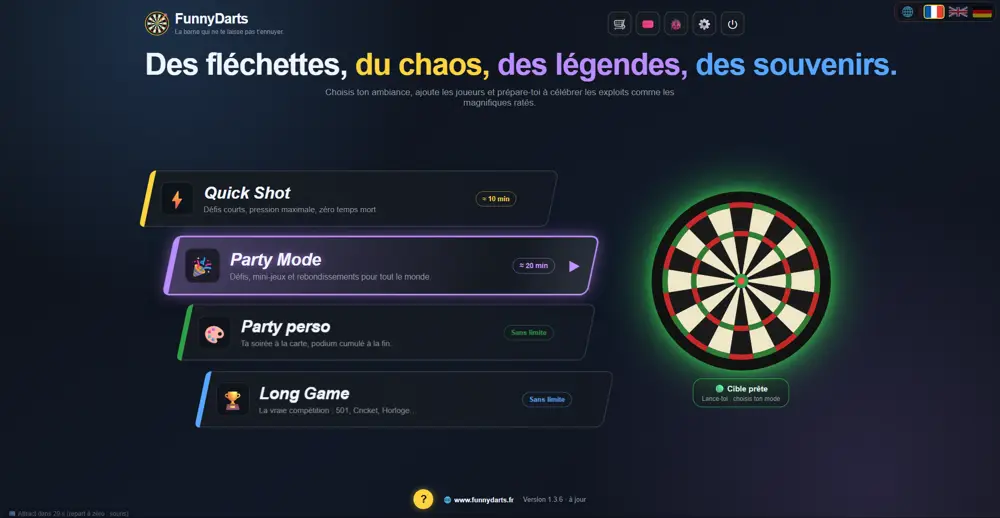
Every game has an Easy mode for beginners and kids, and a Normal mode with the real rules. Three formats: ⚡ Quick (3 games),  Party (5 games) or
 Long (free evening), with a running leaderboard.
 Games to unlock… all together!
Every  left on this site counts for everyone: at each milestone, a new game is given to all players. The website becomes a game too 😉
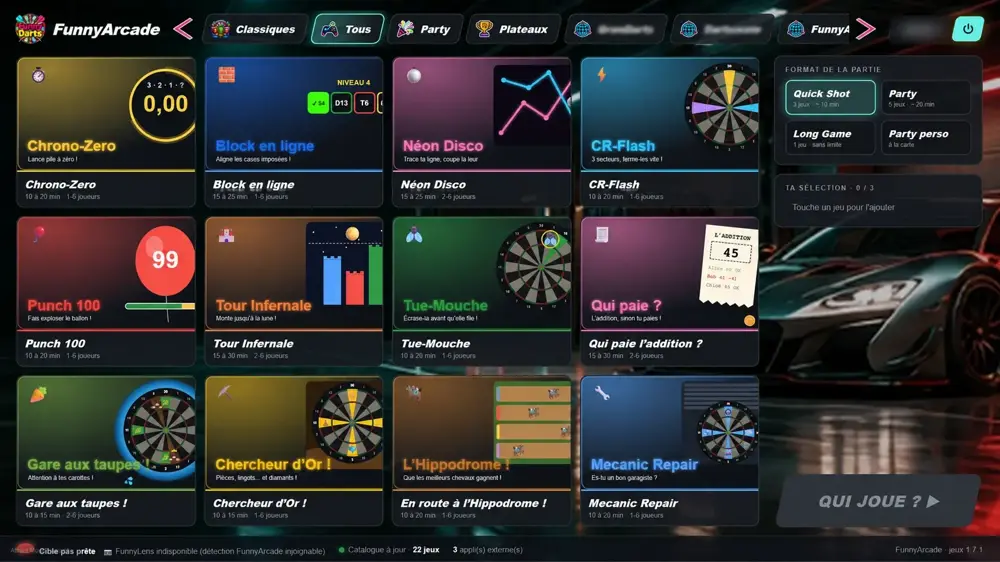
In FunnyDarts (Microsoft Store), an unlocked game appears in the catalogue by itself, nothing to download. In a hurry? The 3 mini-games pack in the  Shop unlocks the next 3 right away.
🏛️ The Classics… FunnyDarts style
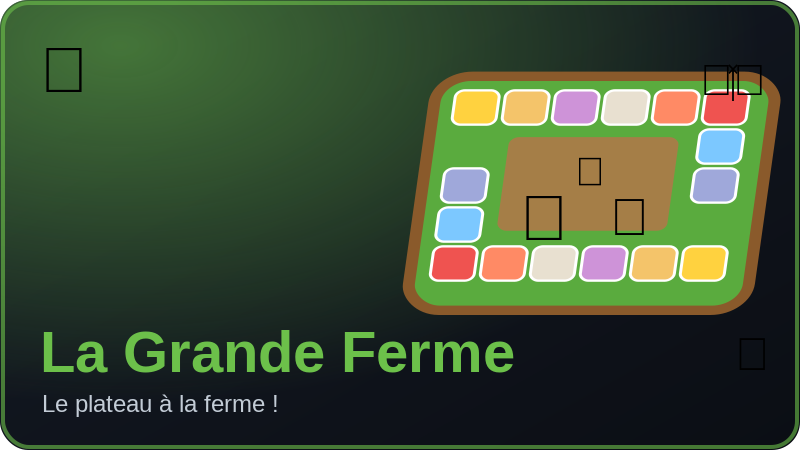
The Big Farm.
The first FunnyDarts board game: your darts move your piece.
 Single 1 square, double 2, treble 3
 Harvest, buy, grow your farm
- ⚔️Same square as a friend? Challenge!
Hunter / Thief.
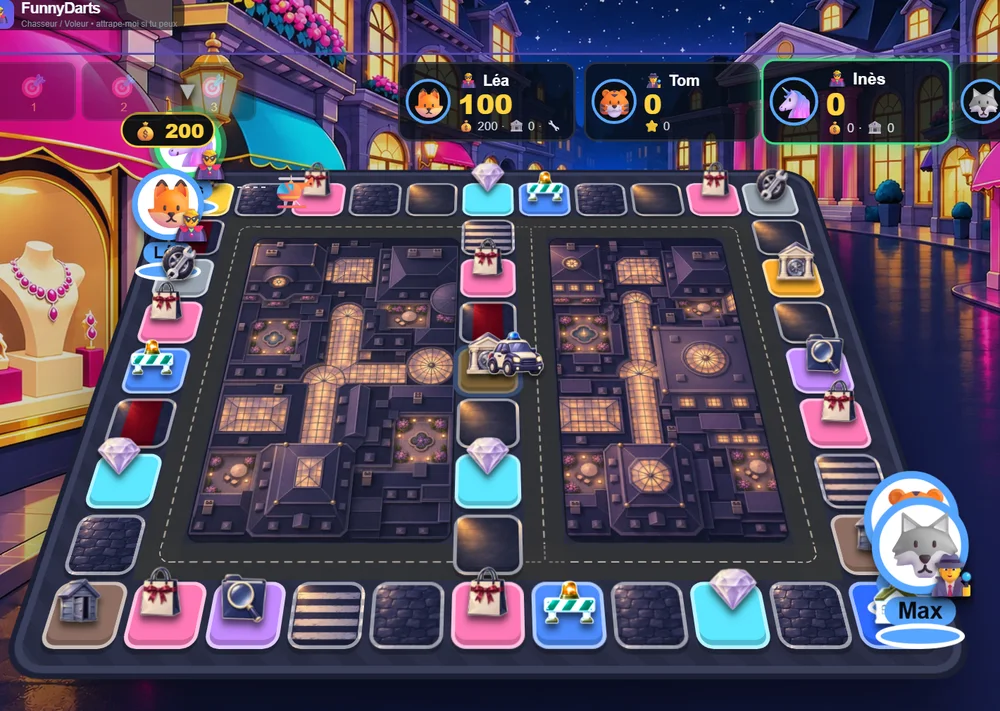
The board game in the city at night: thieves rob the shops, bounty hunters track them down.
 Rob, cash in, run…
- 🚨… or catch the thieves
- ⚔️Dart duels and dirty tricks
Your mates far away.
An online game as if you were in the same room: video, live scores, and everyone plays on their own board.
Play online → T20 · T20 · S5✨ Made for playing, not waiting
Big “X, your turn!” screen, large scores, one colour per game.
One dart each, the best one starts. After that, the loser of the previous game opens.
Podium, confetti and running points (50 / 30 / 10) all evening long.
The game pauses while you pull out your darts and resumes by itself.

In doubt about a dart? The Jury has the cameras recount. A mistake?  Correct it, and the score is recalculated.

Add your own sounds, GIFs and music: a text file explains each moment of the game.

From 1 to 6 players, or two free teams (even 1 against 2).

With kids, play with soft-tip darts. They work very well on a traditional bristle board, whereas steel tips tend to bounce off the wires.
When idle, funny slides scroll by, with photos of your best moments.

180s, trebles, podiums… and your best misses: FunnyDarts captures them by itself.
Everything runs on your device (PC, tablet, box). No account required, no data collection.
Pop. Rock. Electro.
Sounds, colours, music: an ambience for every night. Try it, this site changes too!
 Frequently asked questions
Does FunnyDarts detect darts automatically?
Yes. Since version 1.2, FunnyDarts has its own detection engine: 2 to 4 cameras USB around a traditional sisal target (3 recommended), on a PC Windows or a Androidbox, count each dart on its own. With an electronic Bluetooth compatible target, each dart also arrives on its own. And since 1.3.7, with FunnyLens (beta), a dedicated Android phone, on a tripod, films the target and FunnyDarts counts the darts; the game is followed on a tablet or a PC.
Can I play without a camera, with just a phone?
Yes, in two ways. With FunnyLens (beta), a dedicated Android smartphone, placed on a tripod facing the target, films the darts; the game is played on a tablet or a PC. With FunnyPad, a phone or tablet becomes the scoring keyboard: you scan a QR code and touch each dart. Both are free and work without the Internet.
Do I need an electronic dartboard?
No. FunnyDarts works with your real dartboard, traditional bristle or electronic. On a traditional board, the cameras or FunnyPad keep score; a compatible Bluetooth electronic board sends its scores directly.
Can I use an old bar dart machine or an electronic dartboard without Bluetooth?
Often, yes! Under its segments, every electronic dartboard hides a grid of contacts linked by a ribbon cable. A small ESP32 or Arduino module (a few euros) wired to that ribbon can send each dart to FunnyDarts: your old machine comes back to life with all our games. Got the machine and the module? Email us at contact@funnydarts.fr: we’ll help you connect it.
Which devices does FunnyDarts run on?
On Windows 10 and 11 PCs (Microsoft Store), Android phones and tablets (Google Play), Android boxes / TVs (app downloaded from this site) and iPhone and iPad (App Store), with the same games. The scoring you can use depends on the hardware the device accepts (cameras, Bluetooth board, FunnyPad): see the modes table.
Is FunnyDarts free?
Yes. The basic offline version is free, with no account required and no data collected. Optional: online access (30, 180 or 365 days, no subscription), a themes pack and extra games.
Can I track my level (PPR, CR)?
Yes. FunnyDarts calculates your PPR at 501 / 301 and your CR at Cricket, shown on the podium and on your player card.
Can I play online with friends?
Yes. With your free ID Card and online access, each player throws at their own board and watches the other’s throw on video.
 Install in 3 steps
No more files to download or warnings to click through: FunnyDarts installs from your device's official store and updates itself.
- Open the store
On the board's Windows PC: Microsoft Store. On an Android phone, tablet or box: the Android app, to download here. Direct links are at the bottom of this page. - Install
Search for “FunnyDarts” and click Install (or Get). It's free, with no FunnyDarts account to create. Updates then arrive automatically. - Play!
Open FunnyDarts and create your players. With cameras ( FunnyEye, Windows PC or Android box): Settings → Cameras, then the calibration. Without a camera: Settings → FunnyPad, and scan the QR code with a tablet. Bluetooth board ( FunnyLink): Settings → Autoscoring.
 Full user guide and troubleshooting
 A thank-you, an idea, a bug?
FunnyDarts is developed by Fabien Seguin, a sole trader. In its basic Offline version, it is free. Every message is read with pleasure, and the best ideas end up in the next versions! For a bug, you can also write directly to support@funnydarts.fr.
The story of the project: a word from Fabien  My vision, my philosophy
The thank-you wall
Little notes from players, shown after review (mostly in French).
Be the first to leave a note!
📘 Want to talk about it, show off your board, share your games? Join the official Facebook group
 Install FunnyDarts
The FunnyDarts engine and its basic games, free, from your device's store.  What's new? The release notes
 PC WindowsFunnyDarts ArcadeOn Windows PCs, your FunnyDarts universe now comes with FunnyDarts Arcade
 Download forAndroidAndroid phone, tablet and box · Bluetooth board, FunnyPad, Lhobby; cameras on Android box
Download forAndroid box / TVAPK (97 MB), until Google Play on TV · USB cameras, Bluetooth board, FunnyPad
 Download on theApp StoreiPhone and iPad · FunnyPad, Bluetooth board
🐧LinuxIn preparationfor set-ups running Ubuntu
? It costs nothing, it motivates… and every heart brings the next game, free for everyone, a little closer.
🔐 Windows: the verified app from the Microsoft Store, automatic updates. Android (phone, tablet): on Google Play, purchases through Google Play. Android box / TV: until the TV version is on Google Play, the app is downloaded here; on first install, allow your browser to install apps (“unknown sources”); purchases through the PayPal shop, a code by e-mail. iPhone and iPad: on the App Store. Your purchases (online access, mini-games, themes) are linked to your FunnyDarts account: you get them back on each of your devices. See the offers
 Did you have the version downloaded from this site? Install the store version, then uninstall the old one (Settings › Apps): its desktop icon still opens the old version. To keep your settings: back up before switching.
You’re part of the game.
Tutorials and games on video on YouTube; game ideas, bugs, photos of your board in the group: that’s where everything is decided.